Active software project · Short demo forthcoming
Lares Agent IDE
I run several AI agents at once. Lares is what makes their work visible while it happens.
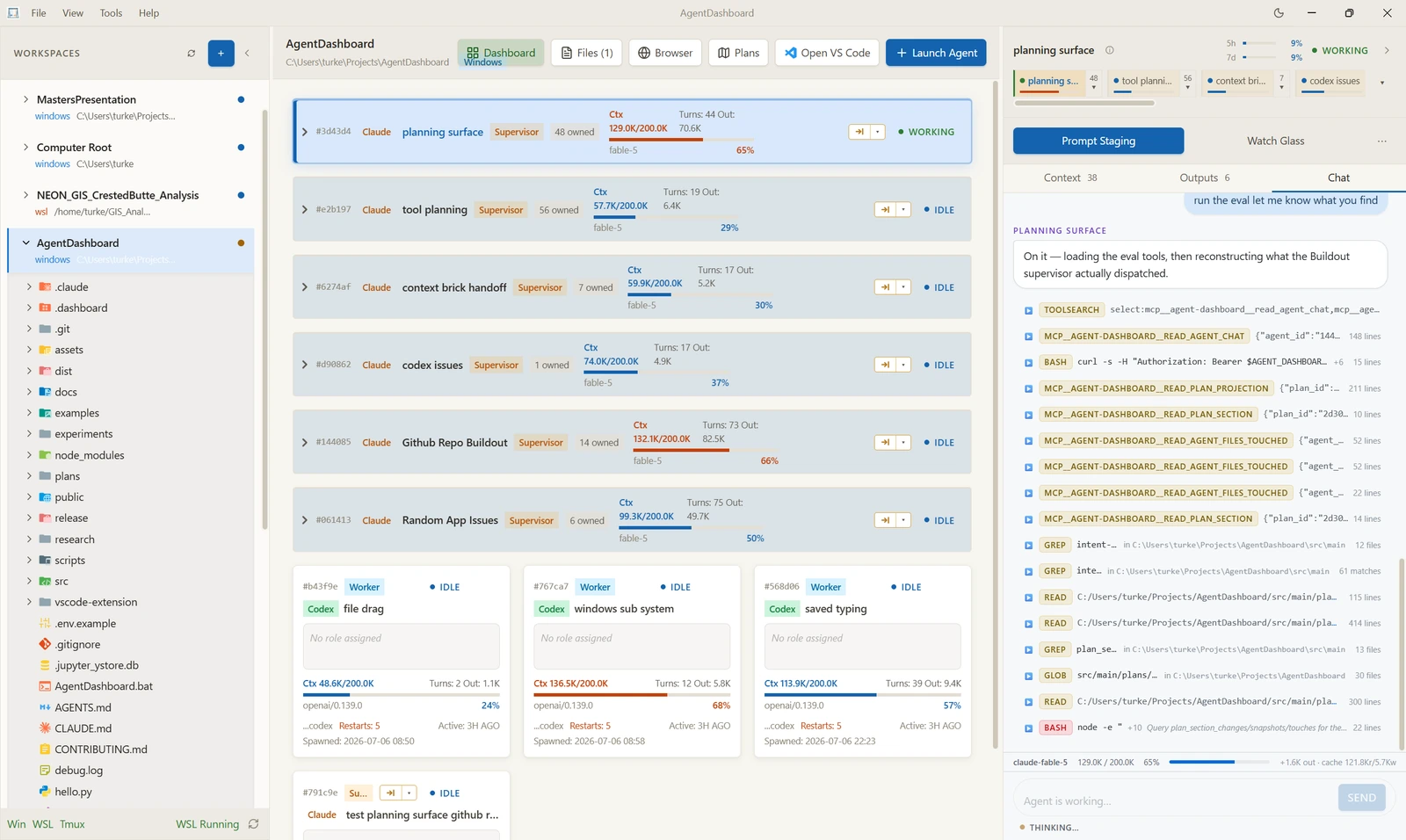
Lares is a desktop workspace for watching and directing teams of AI agents. Terminals, files, browsers, documents and notebooks all live in one window, and so do the agents working in them.
I built it to fix a practical problem. Running several coding agents at once meant scattering them across terminals and editor windows, and when one stalled waiting on an answer I had to hunt for it. Lares puts every agent on a single rail with its status and context budget in view, lets me attach to any one of them, and hands a supervisor agent the job of keeping the rest moving.
The plan for this website was written inside Lares. Claude and Codex argued the design out through its cross-provider GroupThink and converged on one written plan.
Demo
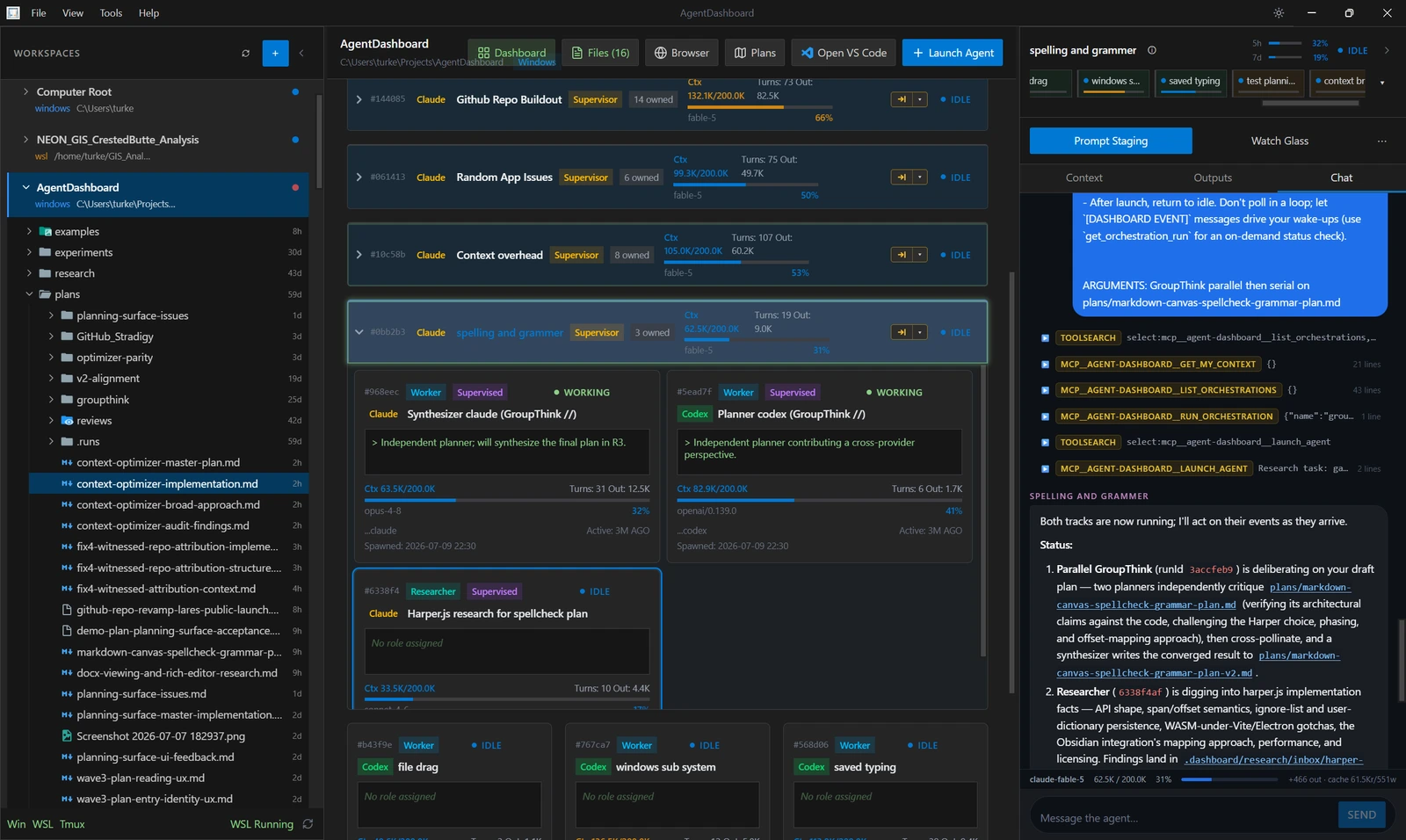
A cross-provider GroupThink mid-flight. Two planners, one Claude and one Codex, critique the same draft plan independently, trade notes, and a synthesizer writes the converged version to a new file. A short screen recording of this is planned. I haven't made it yet, so what you are looking at is a still.
How it works
Lares is organized around tasks rather than features. A session usually runs like this:
- see active agents + context usage
- attach to an agent's chat or terminal
- inspect tool calls and files read-vs-written
- dispatch cross-provider GroupThink
- review outputs in docs, notebooks, maps, browser
- govern browser access with origin allowlists + audit logs
Architecture
Lares is harness-based, not SDK-based. Agents run as real command-line programs in real terminals. A harness has to speak two things to drop in: MCP, so it can reach into the workspace, and lifecycle hooks, so it can report its own state back. No vendor SDK, and no integration to wait for. Claude Code is the reference harness I develop and test against. Codex is wired in too, which is what makes the cross-provider deliberation possible.
The shell is Electron with a React and TypeScript renderer. Terminals are node-pty and xterm bridged to WSL and tmux. Local state lives in better-sqlite3. Markdown is edited in Milkdown, and Jupyter notebooks, Word documents, PDFs, GeoTIFFs, Leaflet maps, KaTeX and CSV all render inline instead of opening somewhere else. A companion VS Code extension mirrors a live agent's terminal session into the editor, for anyone who would rather stay there.
That neutrality is the whole point. It is what lets two different providers work the same problem and converge on a shared answer.
What it does
-
Cross-provider GroupThink
Claude and Codex work one problem and converge on a shared answer. In parallel, each solves it independently and then the two reconcile. In serial, one proposes and the other pokes holes. A supervisor relays between them and gates each turn on the other being ready, and a synthesizer writes the converged result to a file.
-
Supervisor orchestration
I gave Lares a supervisor at the top: it launches and monitors full agent harnesses from more than one provider, reads their chat logs, messages them directly, and dispatches waves of worker and researcher agents. Agents can still spawn their own internal subagents. What is different here is that the top level is never headless.
-
Context and usage intelligence
A supervisor approaching its context limit hands off automatically: it writes a continuation note and relaunches into a fresh session with its work intact. It is told when a worker's context runs hot, and it can see where the account stands against its 5-hour and 7-day usage windows. Built-in telemetry flags MCP toolsets that were granted but never used, and guidance lines in a project's config file that no agent ever reads.
-
Visibility, not a black box
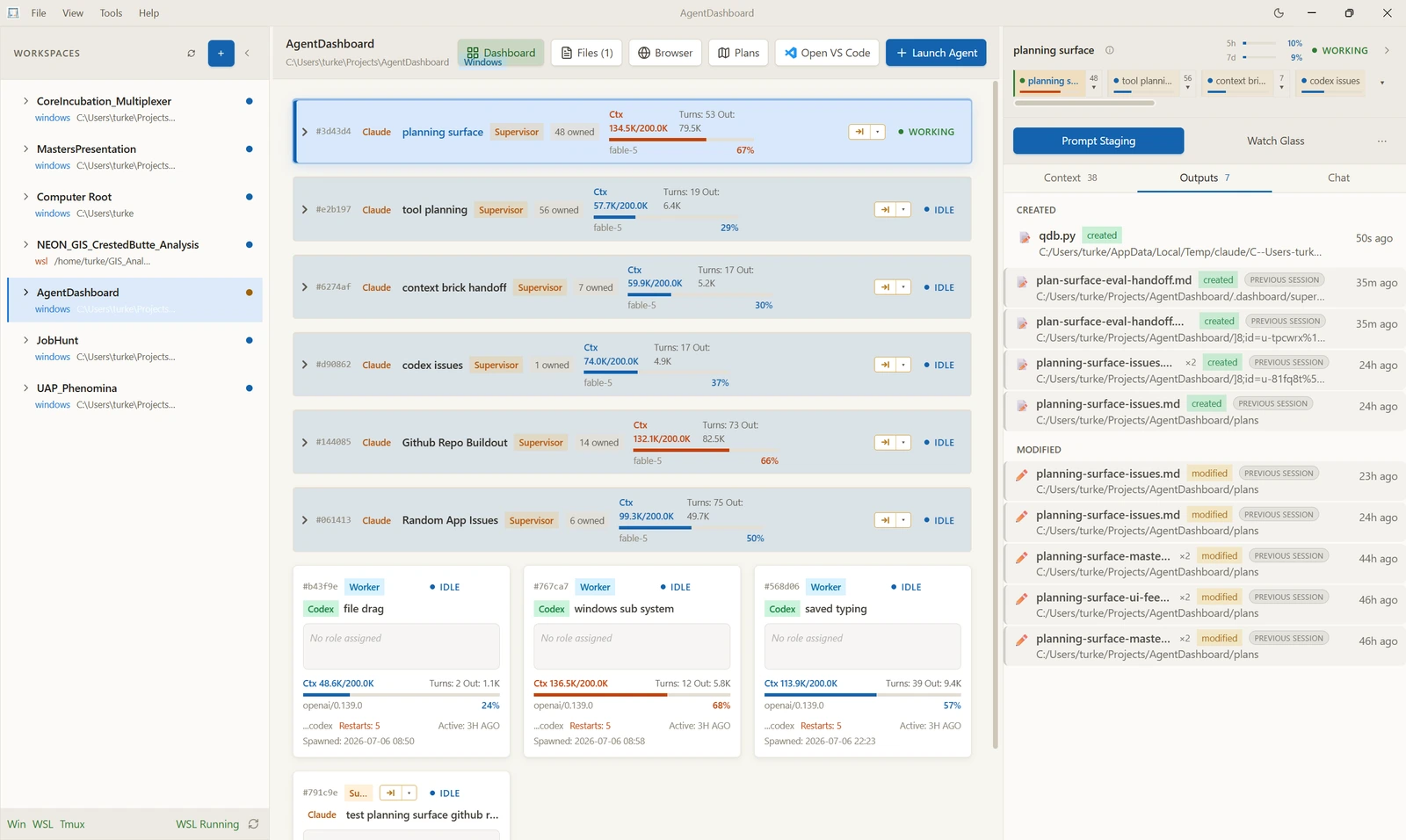
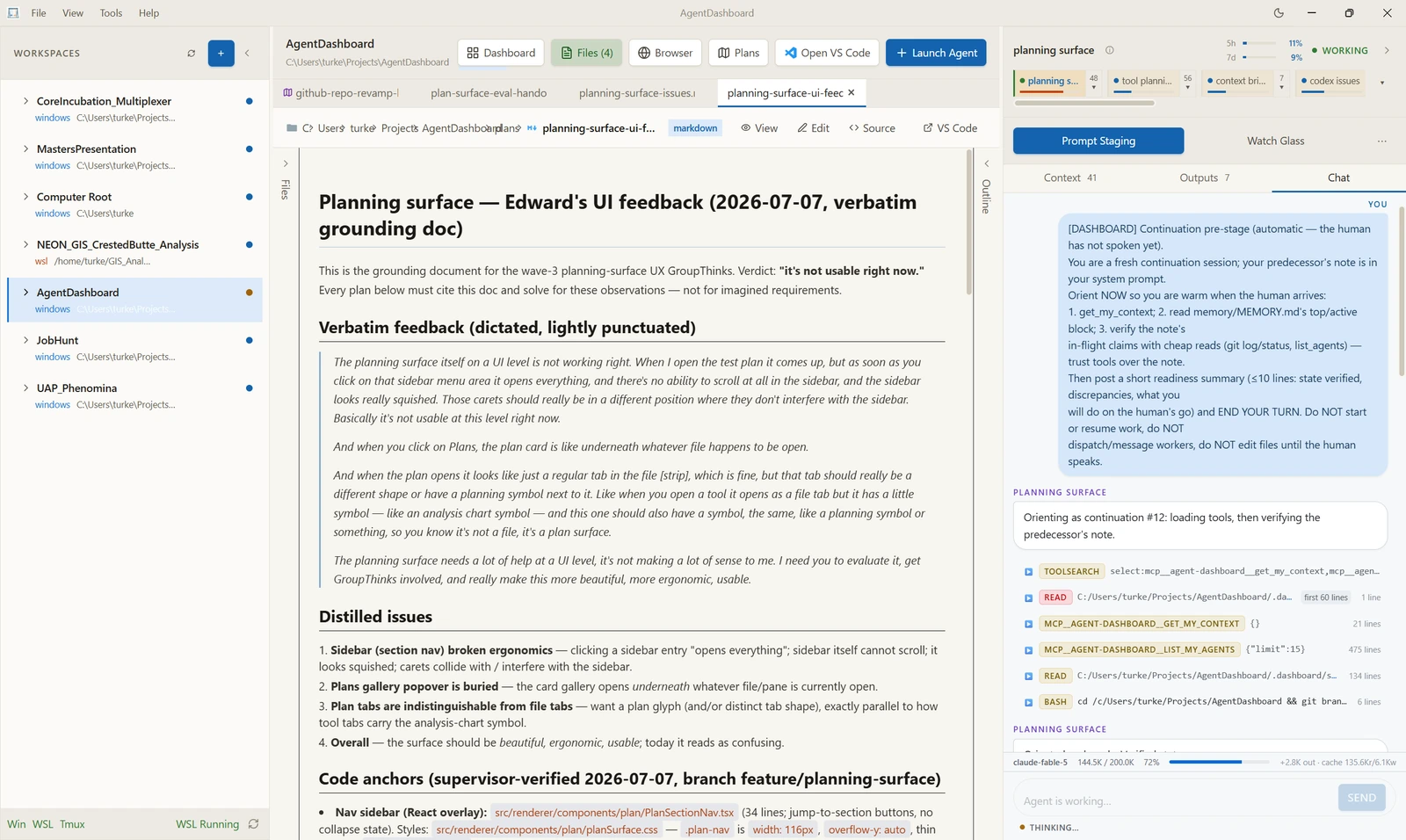
Live agent cards, attachable chats, scrubbable tool calls, a ledger of every file each agent created and modified, and inline comments on the things it touched.
-
Non-code work, first class
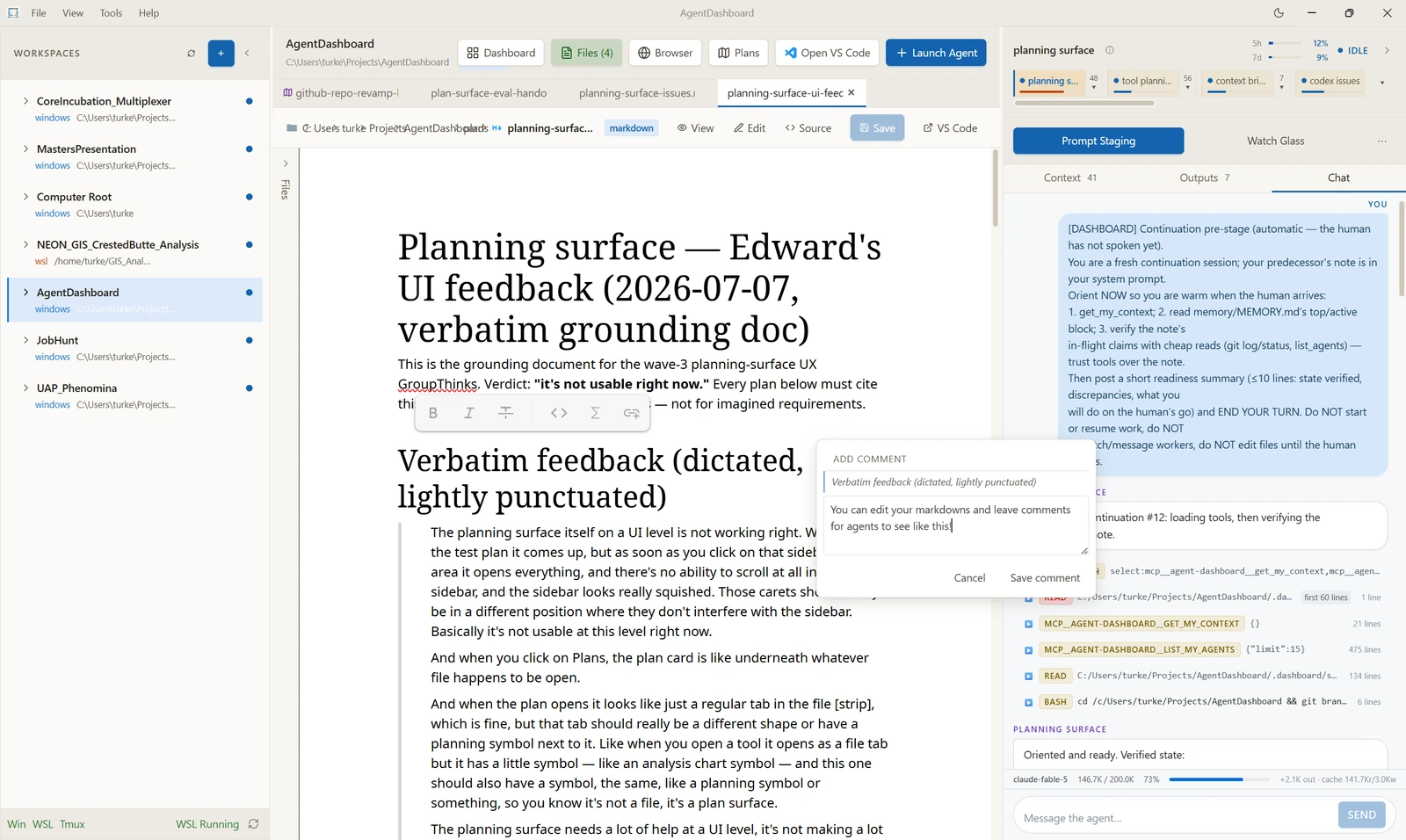
Once agents write most of the code, an IDE becomes a file editor with a model attached. So Lares treats drafting and reviewing documents as seriously as running terminals: a real Markdown editor, comments anchored to a selection that agents can read, and notebooks with live outputs.
-
A governed browser
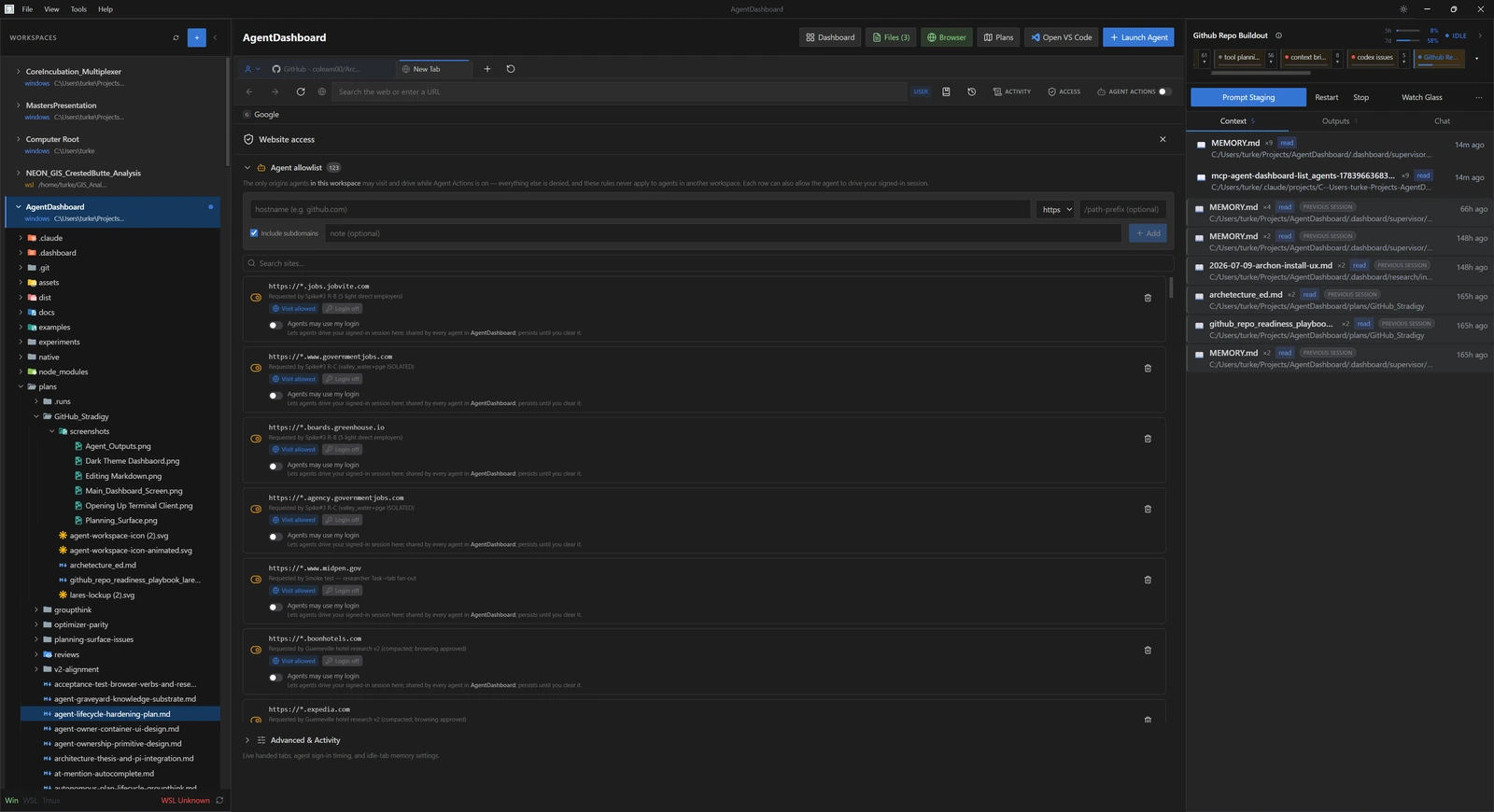
Agents browse in an embedded browser restricted to an allowlist I keep, origin by origin. Whether an agent may borrow a signed-in session is a separate decision I make per site. An action audit log records what they did.
Inside Lares
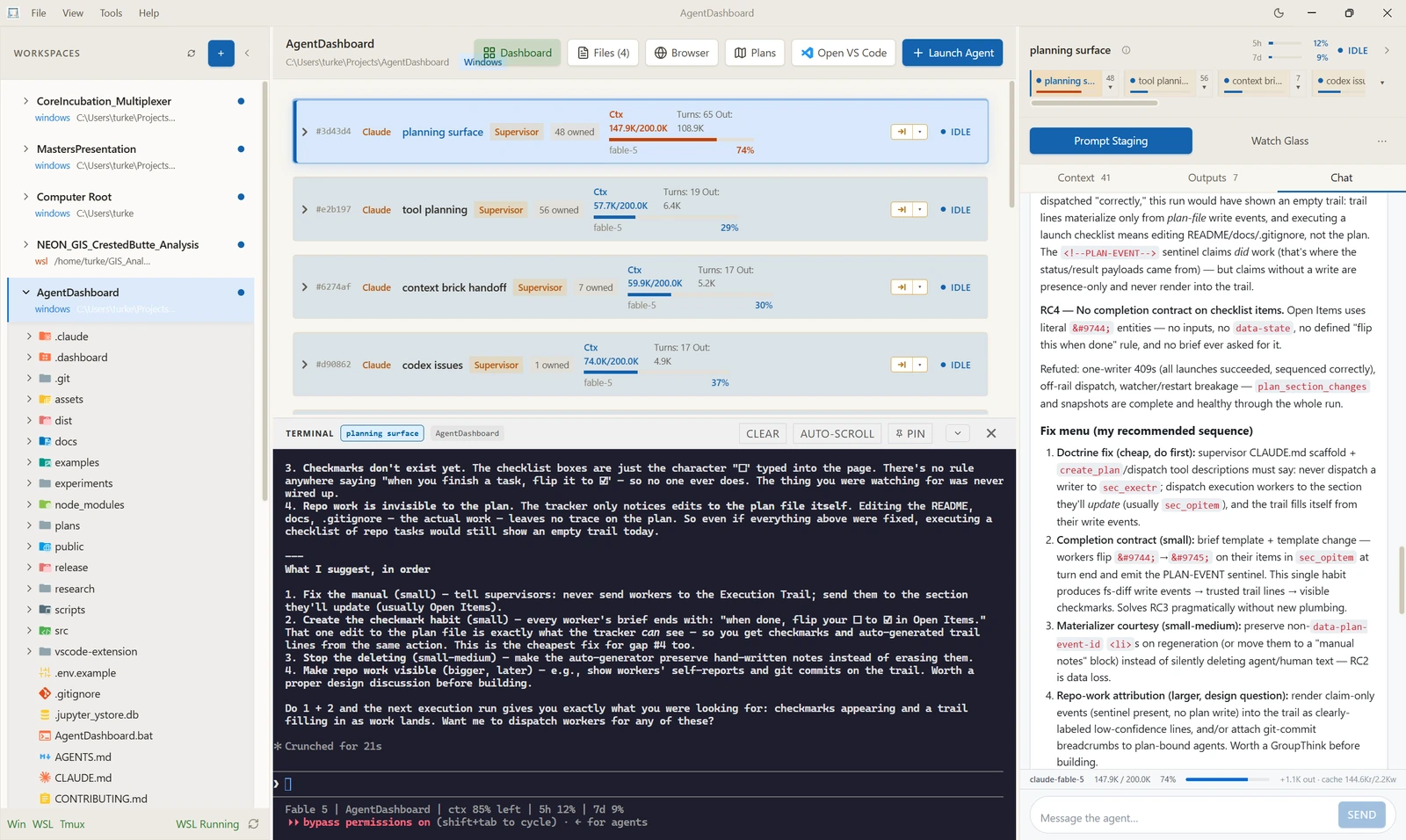
Five views, in the order you would meet them.
Honest limits & status
Honest limits
- A short demo video is planned but I have not recorded it. Every image on this page is a static screenshot of the running app.
- Lares is alpha software in active development. It installs from source, there is no packaged build yet, and it currently runs on Windows with WSL.
- Claude Code and Codex are the only two harnesses I have actually tested. Provider neutrality is a design property of the MCP-and-hooks interface, not a claim that any other harness has been verified.
- The security model is "you trust the agents and the workspace," not "the app sandboxes the agents." Some boundaries exist: the browser allowlist, the audit log, best-effort path confinement. Others do not. Terminal commands are not sandboxed.
- This is a personal project with no external users to speak of. It is here for what it shows about how I build, not as a product.
Links & outputs
- Repository Lares on GitHub
- Demo Short demo forthcoming
- Licence Apache-2.0
The name is Roman. The Lares were the household guardians who watched over the home. That fits a workspace whose whole argument is that your agents should never be a black box.
Interested in this work?
I'm an early-career environmental data scientist in the SF Bay Area.